Cool extensions for SQL Developer

On this page you can find two fine extensions on SQL Developer.
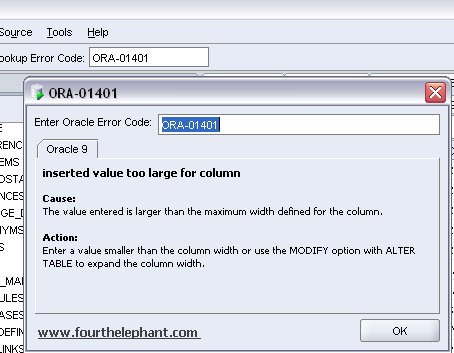
With ErrorsLookup4Raptor a small entry field is added to the toolbar where you can enter an Oracle error code. The cause and action of the error will be displayed. Saves a lot of time searching through manuals!


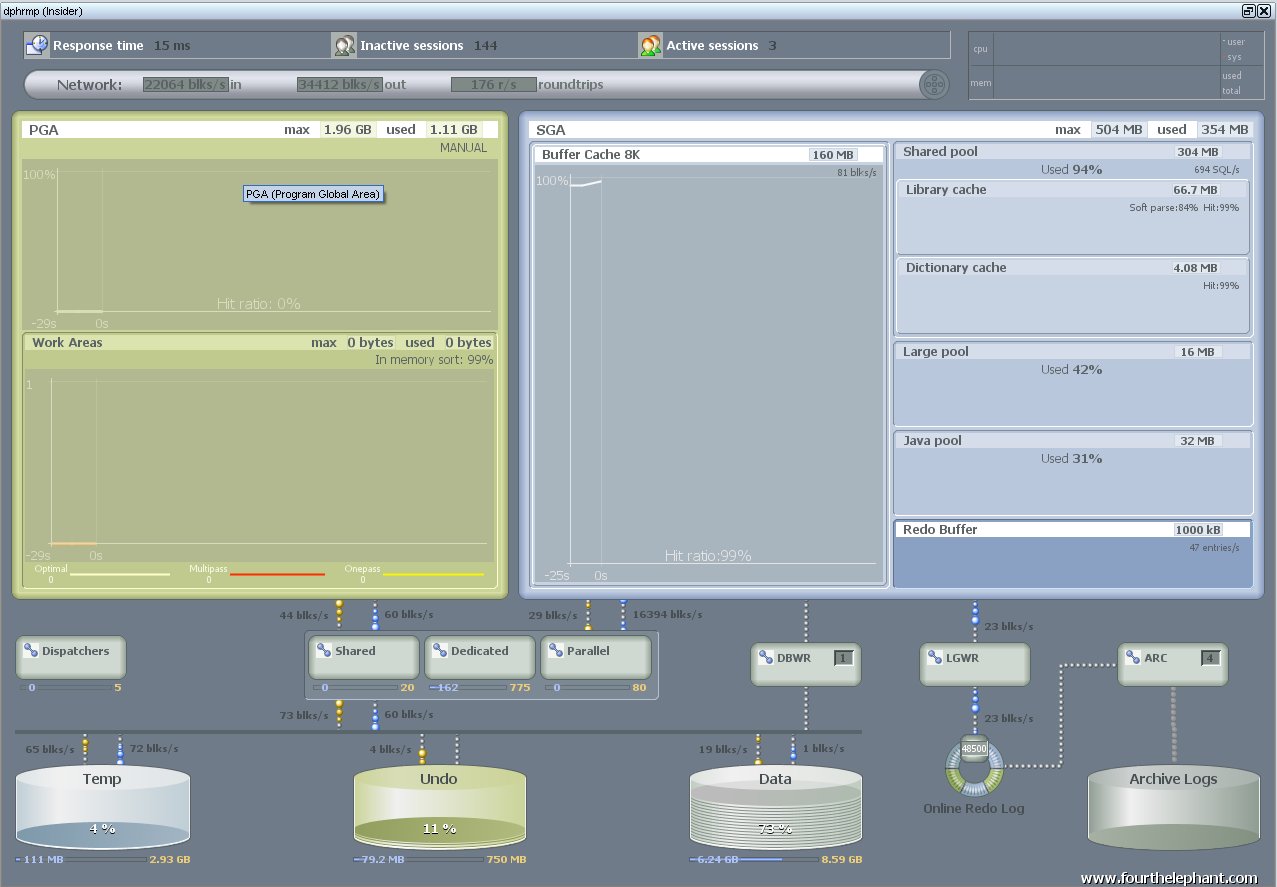
The other extension is Insider4Raptor, a graphic tool that shows all your database activity and traffic. Looks a lot like SQL Monitor from Quest, but a lot cheaper (like free Laughing). Take a look at this screendump (in real life there are a lot of "moving dots" and it looks even more fancy!)


Try it out yourself!
Comments

Popular posts from this blog

How to create neatly formatted Excel documents using PL/SQL?

If there is a requirement to produce output from an application into Excel, you would probably create a CSV (Comma Separated File) with the data and start Excel to show the data - at least that's what I did...until now. The drawback of this solution is that you could only produce data and no nice layout. But Excel is also capable of opening HTML-files and using this you could create Excel files with data and magnificent layout! Let me give an example: 1. Create a procedure to show the data in formatted in an HTML table. CREATE OR REPLACE PROCEDURE display_emp_list IS v_emp_count NUMBER(5); v_empno NUMBER(8); v_ename VARCHAR2(50); v_job emp.job%TYPE; v_sal emp.sal%TYPE; v_bg_color VARCHAR2(10) := ''; CURSOR c_emp IS SELECT empno, initcap(ename), job, sal FROM emp ORDER BY ename; BEGIN SELECT COUNT(*) INTO v_emp_count FROM emp; owa_util.mime_header('application/ms-excel', FALSE); htp.p('Content...

Refresh selected row(s) in an Interactive Grid

In my previous post I blogged about pushing changed rows from the dabatase into an Interactive Grid . The use case I'll cover right here is probably more common - and therefore more useful! Until we had the IG, we showed the data in a report (Interactive or Classic). Changes to the data where made by popping up a form page, making changes, saving and refreshing the report upon closing the dialog. Or by clicking an icon / button / link in your report that makes some changes to the data (like changing a status) and ... refresh the report.  That all works fine, but the downsides are: The whole dataset is returned from the server to the client - again and again. And if your pagination size is large, that does lead to more and more network traffic, more interpretation by the browser and more waiting time for the end user. The "current record" might be out of focus after the refresh, especially by larger pagination sizes, as the first rows will be shown. Or (even wors...

APEX ReadOnly Pages - The easy way

If your Oracle APEX Application requires different types of access - full access or readonly - for different types of users, you can specify a Read Only Condition on Page level (or Region, Item, Button, etc.).  You can set an Authorization Scheme on Application level, so it'll be applied to all pages. So if you have an Authorization Scheme named 'User Can Access Page' defined by a PL/SQL function like this: return apex_authorization.user_can_access_page ( p_app_id  => :APP_ID , p_page_id => :APP_PAGE_ID , p_user    => :APP_USER );  then you can code all the logic in the database using the APEX Repository, your own tables or a combination to define whether a user has access to that page or not. But alas it is not possible to define something similar Application wide for a Read Only condition. You can specify an Authorization Scheme 'User has Read Only Access' using a similar signature as the one above and use that on each and e...